AV Access KD-E20 KVM docking station
As an Amazon Associate, Direct To Growth Co. earns from qualifying purchases. The Amazon.ca links on this page carry our Associates tag; prices are not shown live.
Overview
Two Windows laptops, or a Windows laptop plus a Mac that can live with mirroring, sharing one dual-monitor desk. Skip it if you need extended dual displays from any Mac, or you have a monitor with a built-in KVM.
The dock that shared peripherals between two computers before the Dell's built-in KVM arrived; whether it stays in the chain is an open decision. Bought 2025-05-22 from Amazon.ca for C$277.17 (single-item order total).
Pros
- True two-computer KVM dock: one USB-C per machine carries video, data and up to 100 W
- Dual HDMI 2.0b 4K60 via MST, with EDID emulation
- Gigabit Ethernet, SD reader, 3x USB 3.0, 2x USB 2.0, headset jack
- Included EXB01 wired remote button for desk-top switching
Cons
- macOS mirrors the two monitors (no MST)
- 5 Gb/s USB, HDMI only
- 100 W PD only to the active laptop
- 5120x1440 super-ultrawides limited to 3840x1080
Price
| What the owner paid | C$277.17 · Amazon.ca · 2025-05-22 |
|---|---|
| List price now | US$199.99 |
| Price history | Lists at US$199.99 and has run at US$179.99 (10% off) direct, Newegg and Walmart through Oct 2026. No CAD list could be verified; expect roughly C$250-280 via Amazon.ca. |
Where to buy
The Amazon.ca button opens the verified product page for this exact model; no live price is shown here. As an Amazon Associate, Direct To Growth Co. earns from qualifying purchases. The Amazon.ca button is an affiliate link; the Amazon.com button is not (yet).
Specs
| Model | KD-E20 with EXB01 wired remote |
|---|---|
| Key specs | 2x USB-C host inputs (DP 1.4 Alt Mode) |
| 2x HDMI 2.0b out, 4K60 | |
| 1G RJ-45, SDXC, 3x USB-A 3.0, 2x USB-A 2.0, 1x USB-C | |
| 100 W PD per host; 220 x 100 x 25 mm | |
| Check before ordering | macOS cannot do MST, so Macs only mirror its two HDMI outputs; USB is 5 Gb/s; 100 W PD goes to the active host only |
Out of the box TBD
What came in the box, first setup, and the first thing that went wrong. Coming from the owner.
Daily use
Does he still need a dock when the monitor is the hub?
The dock that shared peripherals between two computers before the Dell's built-in KVM arrived; whether it stays in the chain is an open decision. Two Windows laptops, or a Windows laptop plus a Mac that can live with mirroring, sharing one dual-monitor desk.
“Bought in May 2025 to run two machines through one keyboard and mouse. The Dell U4025QW's own KVM and hub now does most of that over Thunderbolt, and the KD-E20's Mac limitation (mirrored outputs) was always a compromise. It is still under the shelf; whether anything still passes through it is an open question.”
Shape, ergonomics and features TBD
The negatives, the positives, and the things nobody mentions in the listing. Coming from the owner after a longer stretch of use.
On the desk
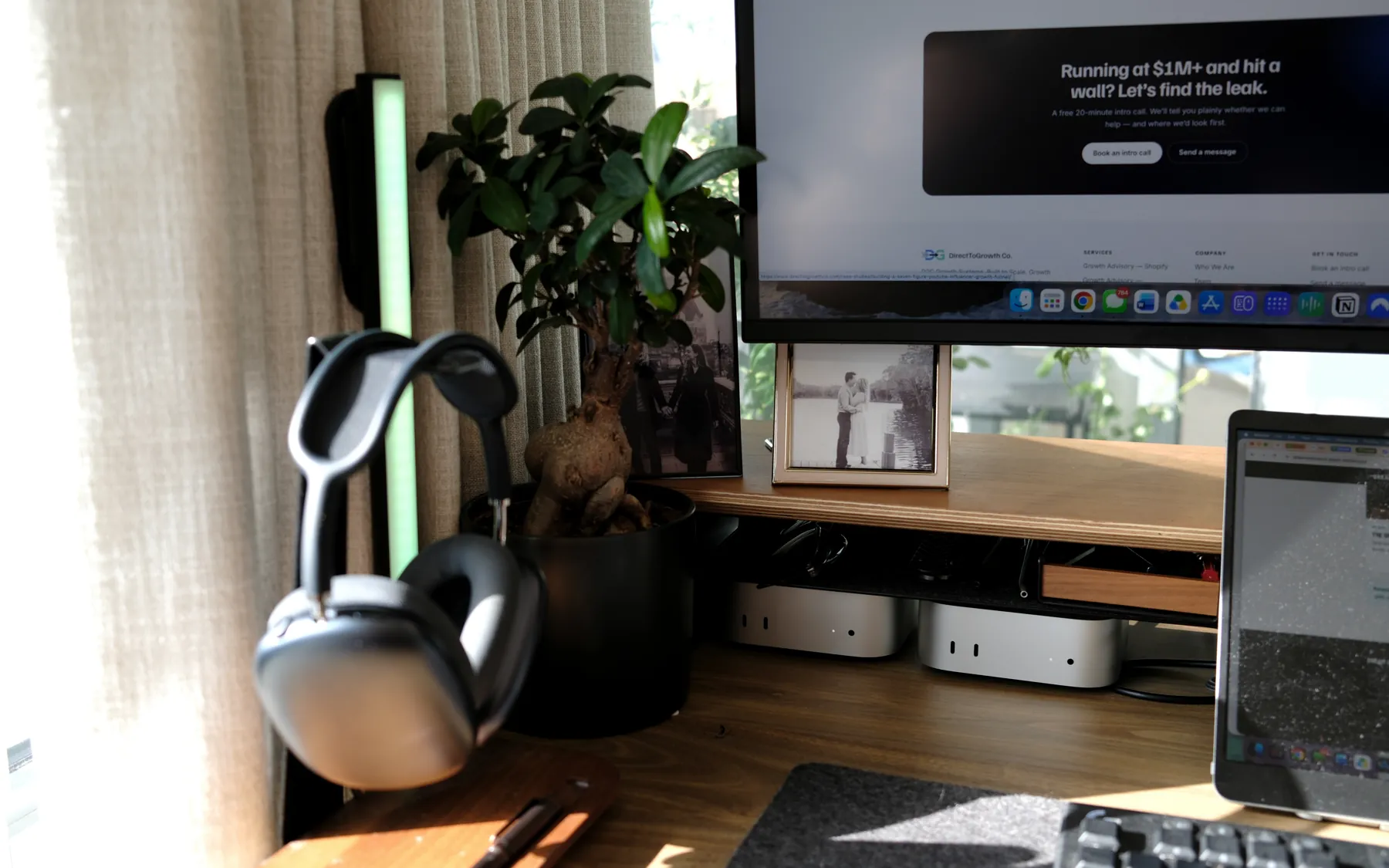
Alternatives
- Dell U4025QW built-in KVM (owned): switches keyboard, mouse and hub ports between two Thunderbolt hosts with one button
- A Thunderbolt 4 dock per machine (researched): more expensive, but extended dual displays work on macOS
The verdict on the AV Access KD-E20 KVM docking station
Buy it if: Two Windows laptops, or a Windows laptop plus a Mac that can live with mirroring, sharing one dual-monitor desk.
Skip it if: You need extended dual displays from any Mac, or you have a monitor with a built-in KVM.
Main drawback: macOS mirrors the two monitors (no MST)
Would he buy it again? TBD The owner's answer is coming.
Check price on Amazon.ca AV Access
Sources
Reviewed by T.R., Chief Growth Officer, Direct To Growth Co.. Evidence: Owned and used by the owner. Spec and price checks last run 2026-10-19. Corrections: tell us.