Remote operators, analysts, consultants and founders who live in spreadsheets, browser tabs and video calls. The laptop stays the brain; the desk supplies the screen area, the wired network and the inputs. Anyone who plugs in and unplugs daily benefits most, because a single Thunderbolt cable restores the whole desk in one motion.
Inspiration № 02 · Productivity · Researched picks
One laptop, one cable, a lot of horizontal screen
A productivity desk is built around one laptop, one cable and a lot of horizontal screen. The setup below pairs a Thunderbolt ultrawide with a dock, a low-profile keyboard, an ergonomic mouse and even lighting, so calls, spreadsheets and documents sit side by side without window juggling. Several of these items sit on near-permanent promotion, so the sale history matters as much as the sticker.
Photo coming
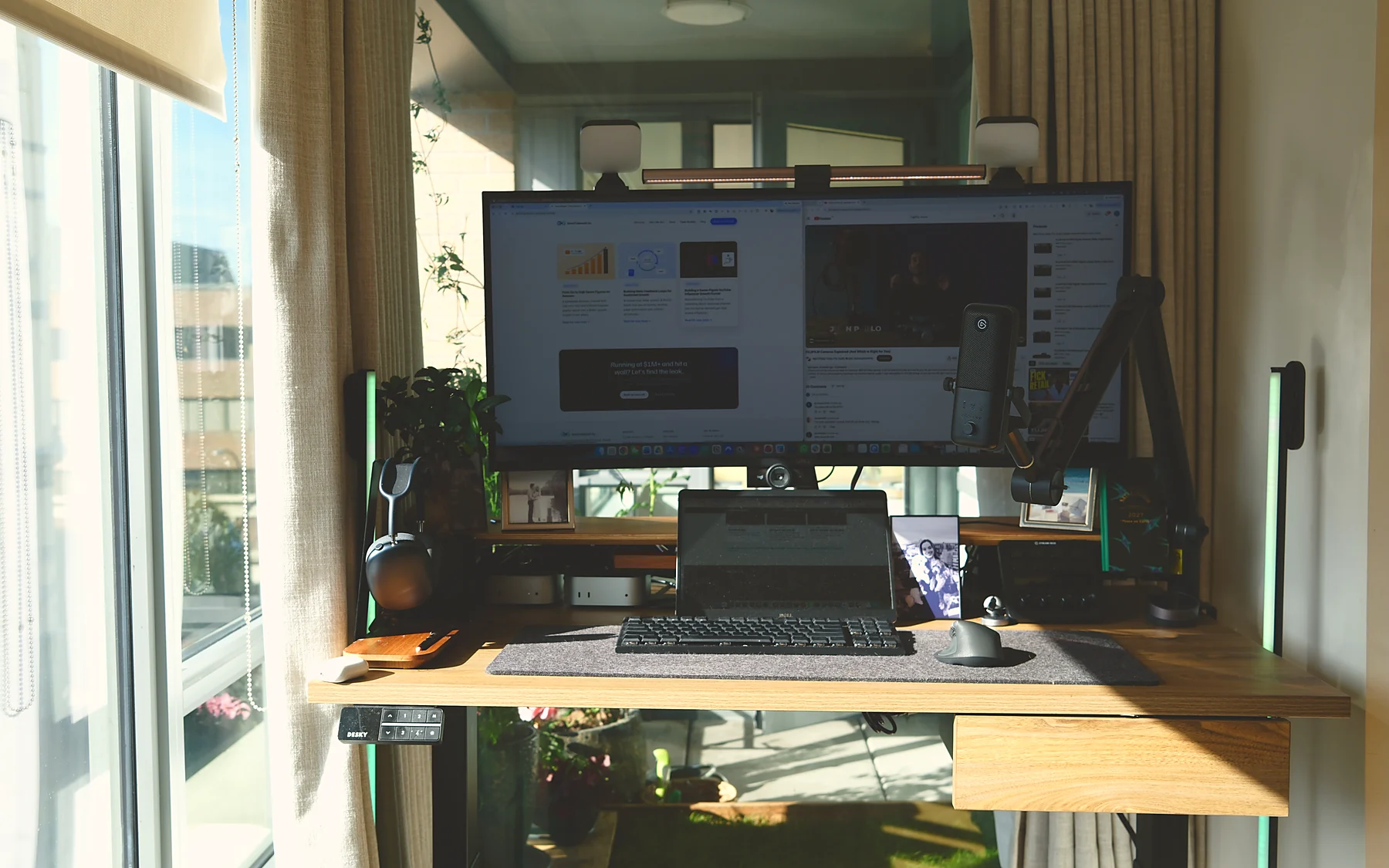
Photo by Tai Bui on Unsplash (Unsplash License). This is not Dream Desk Setup's desk: the gear below is a researched match for what the photo shows, labelled accordingly, never an identification of the photographer's own products.
What the photo shows
Read the setup first
Observations at category level. No logos were read off the photo.
- A laptop beside an external monitor on a clean desk
- Minimal, grey-toned decor; a coffee cup within reach
- No brand is legible; every pick below is a researched match for the category, not an identification
Use cases
Who this layout is for, and when it is wrong
Three things. A 34-inch 3440x1440 ultrawide gives roughly two full documents plus a chat column without a bezel in the middle. Raising the laptop on a stand turns its display into a third pane for Slack or email at eye level. A light bar lights the desk and the wall, not the screen, so late sessions and camera-on calls both look better.
Base-tier Apple Silicon Macs drive only one external display, so a single ultrawide beats dual monitors there. If the monitor already has a Thunderbolt hub with Ethernet, skip the standalone dock and put the money toward a monitor arm. In a bright room, prioritise a 400-nit panel over the light bar, and if wrist pain is the problem choose a vertical mouse over a sculpted one.
How it works
Signal, light, surface
The laptop connects by one Thunderbolt 4 cable to either the monitor's hub or a dock; that single link carries DisplayPort video, 2.5GbE Ethernet, USB peripherals, audio and 90-98 W of charging back to the laptop.
An asymmetric monitor light bar aims light down onto the keyboard and paper while a rear backlight washes the wall, keeping screen-to-surroundings contrast low and faces evenly lit on camera.
A 55-60 inch electric standing desk rated for 200 kg carries the ultrawide, dock and laptop stand without flex; memory presets let the user alternate sitting and standing without re-levelling the monitor.
Power brick, dock and surge strip mount to a tray under the desktop so only one cable runs to the laptop; the stand's rear cable hole and short 0.8 m Thunderbolt leads keep the visible desk clear.
Item list
Seven picks that rebuild this desk in Canada
Every pick is Researched alternative: specs, pricing and reviews checked against current sources, not owned here.
- 01 DisplayDell UltraSharp 34 Curved Thunderbolt Hub Monitor Researched alternative
- 02 ComputeCalDigit Thunderbolt Station 4 Researched alternative
- 03 InputLogitech MX Keys S Researched alternative
- 04 InputLogitech MX Master 3S Researched alternative
- 05 LightingBenQ ScreenBar Halo 2 Researched alternative
- 06 SurfaceRain Design mStand Researched alternative
- 07 DeskFlexiSpot E7 Pro Researched alternative
Shopping list
The picks, with a link to buy each one
Names open the verified Amazon.ca page for that model, or the maker's page where Amazon does not carry it.
As an Amazon Associate, Direct To Growth Co. earns from qualifying purchases.
| Category | Product |
|---|---|
| Display | Dell UltraSharp 34 Curved Thunderbolt Hub Monitor · U3425WE Details · Amazon.ca |
| Compute | CalDigit Thunderbolt Station 4 · TS4 Details · Amazon.ca |
| Input | Logitech MX Keys S · 920-011584, Graphite Details · Amazon.ca |
| Input | Logitech MX Master 3S · 910-006556, Graphite Details · Amazon.ca |
| Lighting | BenQ ScreenBar Halo 2 · ScreenBar Halo 2 Details · Amazon.ca |
| Surface | Rain Design mStand · mStand, Silver or Space Grey Details · Amazon.ca |
| Desk | FlexiSpot E7 Pro · E7 Pro frame; desktop sold separately or bundled Details · FlexiSpot Canada |
Dell UltraSharp 34 Curved Thunderbolt Hub Monitor
U3425WE
The ultrawide that is also the dock: one Thunderbolt cable in, everything else hangs off it
ListUS$1,049.99 / C$1,449.99
+ Single Thunderbolt 4 cable carries video, 2.5GbE, nine USB ports and 90 W charging
− Expensive against 34-inch USB-C ultrawides at half the price
CalDigit Thunderbolt Station 4
TS4
The alternative to the hub monitor: 18 ports and 98 W from one cable
ListUS$379.99
+ 18 ports including three Thunderbolt 4 and 2.5GbE
− Premium price and frequent stock gaps
Logitech MX Keys S
920-011584, Graphite
Quiet low-profile keys with a numpad for finance-style work
ListUS$129.99 / C$169.99
+ Low-profile scissor keys with dished caps; quiet and accurate
− Expensive for a membrane keyboard, and rising
Logitech MX Master 3S
910-006556, Graphite
The sculpted mouse for long documents and wide sheets; the thumb wheel does horizontal scroll
ListUS$99.99 / C$139.99
+ Sculpted shape with thumb rest reduces wrist pronation
− Right-handed only
BenQ ScreenBar Halo 2
ScreenBar Halo 2
Lights the desk and the wall behind the monitor, not the screen
ListUS$179.99
+ Asymmetric front light, ~500 lux on the desk, no glare
− Roughly three times the price of basic bars
Rain Design mStand
mStand, Silver or Space Grey
Lifts the laptop screen to monitor height so it becomes the third pane
ListUS$49.90
+ One-piece anodized aluminium that does not flex
− Fixed height and angle
FlexiSpot E7 Pro
E7 Pro frame; desktop sold separately or bundled
A dual-motor frame rated for the ultrawide, dock and stand, with memory presets
ListUS$499.99 / C$629.99
+ Dual motors, 200 kg rating
− ~69 lb frame; awkward to assemble alone
More inspiration
Other setups
7 picks
Inspiration № 01 · Gaming
Best gaming desk setup
One fast monitor, a tower on the desk, light on the wall
7 picks
Inspiration № 03 · Creative / video editing
Best creative and video-editing desk setup
A signal chain, not a furniture choice
 22 items
Desk № 001 · Owned, receipts attached
T.R., CGO
The desk this site is built from.
One useful decision a week
One problem, one recommendation, one caveat, one resource. No daily emails, no fake urgency.
Sign-up: TBD. The newsletter opens with its first issue; until then every decision lands on this site first.
By subscribing you consent to receive the weekly email from Dream Desk Setup, published by Direct To Growth Co. Inc. Unsubscribe in one click, any time. See privacy.