← Desk № 001 · T.R. · № 01
Dell UltraSharp 40 Curved Thunderbolt Hub Monitor
U4025QW
Dell.ca · 2026-09-18 · Dell price vs C$3,299.99 list
C$3,299.99 in Canada
Sale history: Dell.com nearly always shows a 'Dell price' under list (US$2,099.99 / C$2,899.99 in Oct 2026). The real floor is third-party: ~US$1,489 at Adorama (Dec 2024) and US$1,550 at B&H (Aug 2025). Wait for a holiday B&H/Adorama drop if you can.
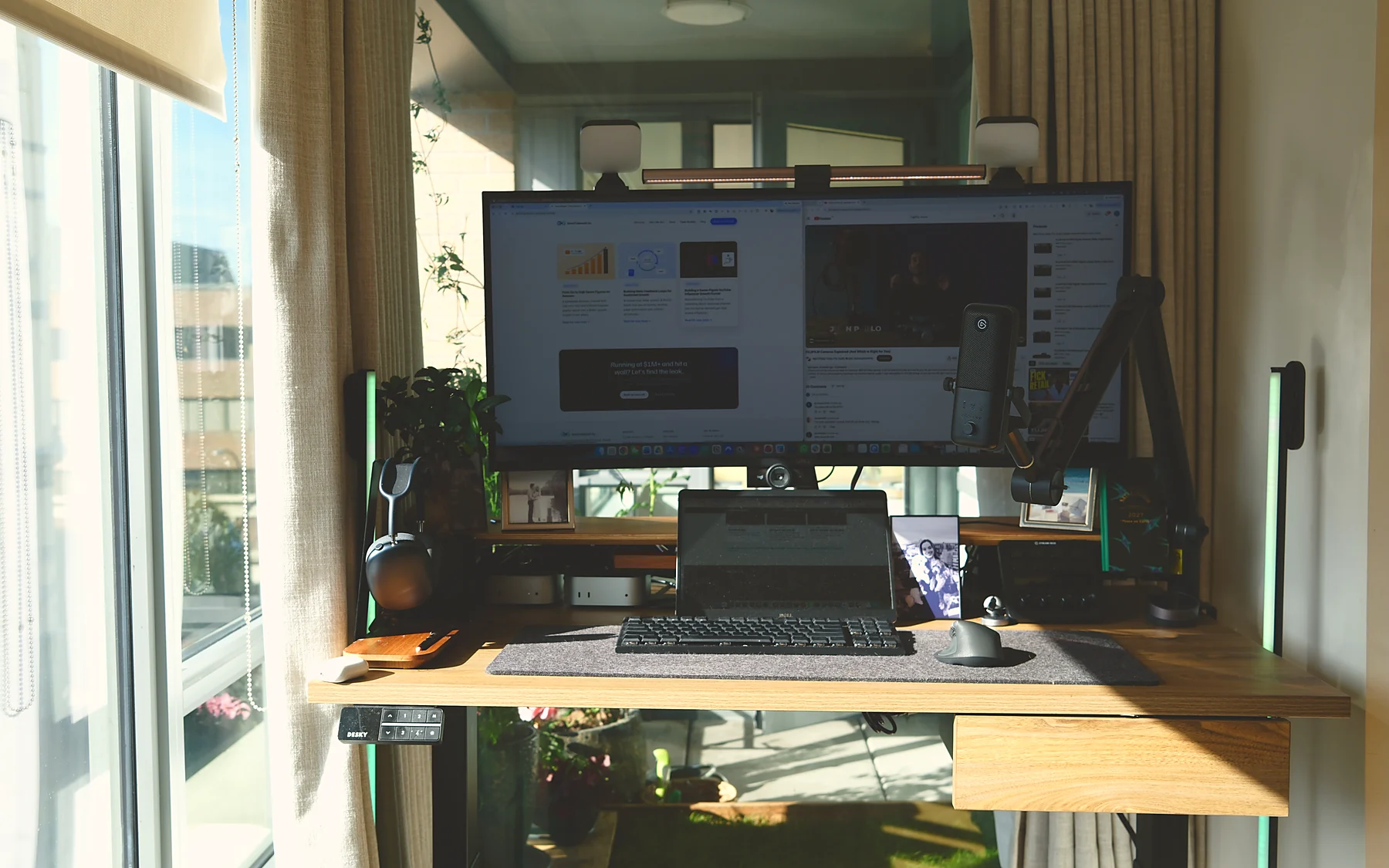
Original photo. No live prices are shown on this site; purchase links say “check current price”.
Where to buy
The Amazon.ca button opens the verified product page for this exact model; no live price is shown here. As an Amazon Associate, Direct To Growth Co. earns from qualifying purchases. The Amazon.ca button is an affiliate link; the Amazon.com button is not (yet).
Pros
- 5120x2160 IPS Black panel, ~2,000:1 contrast, 99% DCI-P3, factory calibrated
- 120 Hz with VRR, rare in a productivity ultrawide
- Full Thunderbolt 4 hub: 140 W power delivery, daisy-chain, 2.5GbE, built-in KVM for two computers
- Fully ergonomic stand and a huge port selection
Cons
- Expensive; street price rarely dips under ~US$1,500
- HDR is weak for the money (edge-lit, DisplayHDR 600)
- IPS glow in dark scenes
- ~27 lb with stand; needs a capable GPU/Thunderbolt host for 5K2K at 120 Hz
Why it is on the owner's desk
One 5K2K panel for a call, a spreadsheet and a dashboard side by side; its Thunderbolt hub replaced a separate dock. The question it answers for a buyer: Why one large display instead of two monitors?
From the owner · T.R.
“Third ultrawide in three years: an LG 38WP85C-W (refurbished, Jan 2024), then an LG 34-inch that went back under support, then this. The upgrade looked incremental on paper but compounded: 120 Hz, double the contrast, 450 vs 300 nits, and the hub/KVM let me retire a dock. I run it at 2560x1080 HiDPI because it maps 2:1 to the native panel, which is the sharpest option for dense spreadsheets. One gotcha: daisy-chaining the P1425 dropped the Dell to 60 Hz until I set OSD > Display > Thunderbolt Daisy Chain > Optimized.”
Specs that matter
- 39.7-inch 2500R IPS Black, 5120x2160, 120 Hz, 21:9
- 450 nits SDR / 600 nits HDR, 99% DCI-P3
- 2x Thunderbolt 4 (140 W upstream), HDMI 2.1, DP 1.4
- 5x USB-A, 2x USB-C, 2.5GbE, KVM
- 26.9 lb with stand; 3-year warranty
Alternatives weighed
- Ergotron HX monitor arm (researched): the LX is rated to 34-inch panels; the HX is rated to 42 lb and built for large curved ultrawides
- LG 38WP85C-W (previously owned, refurbished C$1,299.99 in Jan 2024): 38-inch 3840x1600, no KVM; fine if found cheap
- 34-inch WQHD ultrawide (researched): most of the productivity benefit for a third of the price
Check before ordering
Desk depth for a 40-inch 2500R curve; a Thunderbolt 4 or 5 host; whether you will actually use the KVM
Sources checked
- Dell Canada — U4025QW
- DisplayNinja review
- TechRadar review
- Slickdeals — $1,488.50 at Adorama (Dec 2024)
Corrections and updates
None yet. If a model, spec, price, or link is wrong, tell us.